Guide
How to connect Apple Health to ChatGPT
In the US, ChatGPT connects to Apple Health by itself: open the ChatGPT app on your iPhone, tap Health in the sidebar and choose Apple Health. It reads your data, but it can’t put a workout on your watch. For training, and outside the US, you connect a training platform to ChatGPT. This guide covers both.
 Samuel KraftUpdated
Summary
- Health in ChatGPT reads Apple Health. It is free, US only, and connected from the ChatGPT iPhone app.
- It only reads. ChatGPT cannot write to Apple Health or put a workout on your Apple Watch by itself.
- Outside the US, a connector with its own iPhone app is the way in. Shape is one, listed in ChatGPT’s plugin directory as Shape Calendar.
- Shape is a training platform, so its tools in ChatGPT are built for training. It works out your training load, fitness, fatigue, form and load balance, so ChatGPT starts from the numbers that matter, not raw heart rate and minutes. Planned sessions sync to your Apple Watch.
- Apple Health is always connected on an iPhone. After that, ChatGPT can use the data on any device.
Connect Apple Health with Health in ChatGPT
Health is ChatGPT’s own space for health questions, and it can read Apple Health directly. OpenAI offers it on the Free, Go, Plus and Pro plans to users in the US. You need the ChatGPT app on an iPhone to connect it:
- Open the ChatGPT app on your iPhone and sign in.
- Open the sidebar and tap Health. If it is not listed, look under Explore.
- Tap Get started (or Connect Health) and choose Apple Health.
- The iOS permission sheet opens. Pick the categories you want ChatGPT to see.
- Wait for the first sync. A long history can take a few minutes.
To add Apple Health later, or change what it shares, go to Health, then Accounts. Permissions can also be changed in the iPhone Settings app under Health, Data Access & Devices, ChatGPT. Once the data has synced you can ask about it anywhere in ChatGPT, including the web and the desktop app.
If you want to ask about your sleep, activity and general health, this is the simplest option and you can stop here. If you train for something, read on.
When you want ChatGPT to coach your training
Health in ChatGPT is made for health questions in general. Shape is a training platform, and the tools it gives ChatGPT are made for training.
Shape does the maths first. It scores the training load of every workout, and from that works out your fitness, fatigue and form, and your load balance: this week against what you usually do. Readiness comes from sleep, HRV and resting heart rate against your own baseline. So ChatGPT starts from the numbers a coach would look at, not from raw heart rate and minutes it has to make sense of itself.
It can also open a workout and see each lap, the time in every zone, heart rate, pace and power. And it can write: plan a session or a whole block in your calendar, and Shape puts it in the Workout app on your Apple Watch.
- You are outside the US. Health in ChatGPT is not offered there yet, but ChatGPT plugins are.
- You want workouts on your Apple Watch. OpenAI says ChatGPT cannot write to Apple Health. A training platform can take the session ChatGPT plans and send it to the Workout app on your wrist.
- You train with structure. ChatGPT plans the next block from your actual load and the sessions already in your calendar, not from a list of past workouts.
- You also use Garmin or Wahoo. Shape connects them directly and merges them with Apple Health, so a ride from your bike computer and a run from your watch are in one place.
You can run both: Health in ChatGPT for general health questions, Shape for training.
Ways to connect Apple Health to ChatGPT
Apple Health is a database on your iPhone with no cloud API, so every option starts with an app on that phone, or a file you export from the Health app.
| Option | Where | Reads Health via | Writes workouts | Cost |
|---|---|---|---|---|
Health in ChatGPT Built into ChatGPT | US only | The ChatGPT iPhone app | No | Included, Free plan too |
Training platform with an iPhone app Shape and similar training platforms | Outside the US too | The platform's iPhone app | Yes, to Apple Watch | Subscription |
Health exporter with a connector Apps that sync Apple Health to a server | Outside the US too | The exporter's iPhone app | No | Free to a small subscription |
File export Export All Health Data | Anywhere | One XML file you upload | No | Free |
A health exporter copies more of Apple Health to a server than a training platform does, nutrition and vitals included, but knows nothing about training. The file export works anywhere, but the XML file is often hundreds of megabytes and is a snapshot, so you export it again for fresh data. A server running on your own computer is not an option here: ChatGPT only connects to servers it can reach over the internet.
Set up a connector with Shape
Sign up on Shape first: the free trial can only be started on shapecalendar.com, and with Apple Health connected first ChatGPT has data from the first question.
- 1
Connect Apple Health in the Shape iOS app
Create a Shape account and install the iOS app. Go to Settings, Connections, and choose Apple Health. The iOS permission sheet opens, allow the categories it asks for. Your recent workouts start importing, with their heart rate, pace and route, along with your daily health data. A second prompt asks to sync planned workouts to your Apple Watch, accept it if you want ChatGPT’s sessions on your wrist.
- 2
Add Shape Calendar in ChatGPT
Open Shape Calendar in ChatGPT and add it. Or on chatgpt.com, open Plugins in the sidebar and search for Shape Calendar.
- 3
Sign in and allow ChatGPT
Press Sign in with Shape Calendar. A Shape page opens. Sign in with the same account you just made, check that it shows the right email and press Allow ChatGPT. The default permission, Allow low-risk actions, lets ChatGPT read without asking and confirms before it changes your calendar.
Press Sign in with Shape Calendar.
A Shape page opens. Check the account and press Allow ChatGPT.
Shape Calendar is installed. The default permission, Allow low-risk actions, lets ChatGPT read without asking and confirms before it writes.
- 4
Start a new chat
Open a new chat and check that Shape Calendar is switched on in the tools menu under the message box. Then ask something like this.
Can’t find it? Add Shape as a custom MCP server
If your workspace only allows custom servers, or the directory does not show Shape Calendar, open Plugins, press the plus button next to the search field and choose Create custom MCP server, then press Create MCP App. Name it Shape Calendar, paste this as the server URL, leave authentication on OAuth, tick the acknowledgement and press Create. Then carry on from step 3.
https://shapecalendar.com/mcpWhat ChatGPT gets through Shape
Every tool is built around training, not a general health record. The full list is in the MCP docs.
- Workouts
- Your recent workout history from Apple Health, whichever app recorded it: the Watch Workout app, running and cycling apps, trainers. Sport, duration, distance, average heart rate, elevation gain and training load. ChatGPT can filter by date range and sport.
- Workout details
- For workouts recorded on an Apple Watch: heart rate, pace, cadence, running and cycling power, elevation and the route over the course of the workout, lap splits, and time in each training zone.
- Daily health
- Sleep with its stages, HRV, resting heart rate, respiratory rate, blood oxygen, wrist temperature, VO2 max, weight and body composition, steps and exercise minutes, one record per day.
- Training status
- Numbers Shape works out for you, not raw data: training load for every workout, fitness, fatigue and form, your load balance (this week against your usual), readiness, and the planned load for the coming week.
- Writing to the calendar
- ChatGPT can create, update, move and delete workouts. Planned workouts sync to the Workout app on your Apple Watch, ready to start.
Anything that writes to Apple Health comes along with the same permission: Oura, WHOOP, Peloton, Polar, Suunto, COROS and more. The Apple Health and Claude guide lists what each one writes. Shape does not read nutrition, medications, cycle tracking, mindfulness or the rest of Apple Health.
Troubleshooting
- I don't see Health in ChatGPT
- Health in ChatGPT is only offered in the US, and OpenAI rolls updates out gradually, so some accounts get it later. Check under Explore in the sidebar as well. Outside the US, a connector is the way to get Apple Health into ChatGPT for now.
- There is no Apple Health option on my computer
- Apple Health can only be connected from the ChatGPT app on an iPhone. Connect it there once, and the synced data can be used in ChatGPT on the web and desktop too. The same goes for Shape: Apple Health is connected in the Shape iOS app, and the plugin then works anywhere you use ChatGPT.
- ChatGPT says there are no workouts in Shape
- The Shape iOS app has to be installed and given Health access first. Open it, go to Settings, Connections, and check that Apple Health is connected. If it says connected but nothing came in, open the iPhone Settings app, then Privacy & Security, Health, Shape, and make sure Workouts and the other categories are turned on.
- Sleep or HRV is missing
- In Shape, workouts arrive in the background and daily health data syncs when you open the Shape app. Open it, wait a moment and ask again. HRV, sleep stages and wrist temperature also need a device that writes them to Apple Health, which usually means an Apple Watch worn overnight.
- A planned workout did not reach my watch
- Watch sync is a separate permission. In the Shape app, go to Settings, Connections, Apple Health, and turn on Sync to Apple Watch. It needs an iPhone on iOS 18 or later. The workout appears in the Workout app on the watch.
- ChatGPT says my Shape account has no active plan
- The trial can only be started on shapecalendar.com, not from inside ChatGPT. Open shapecalendar.com, sign in with the same account and start the trial there. If you signed in to the plugin with a different account, remove Shape Calendar on ChatGPT's Plugins page and add it again.
- The plugin is installed but ChatGPT does not use it
- Start a new chat and check that Shape Calendar is switched on in the tools menu under the message box. Naming it helps: "use Shape to look at my last two weeks".
Questions
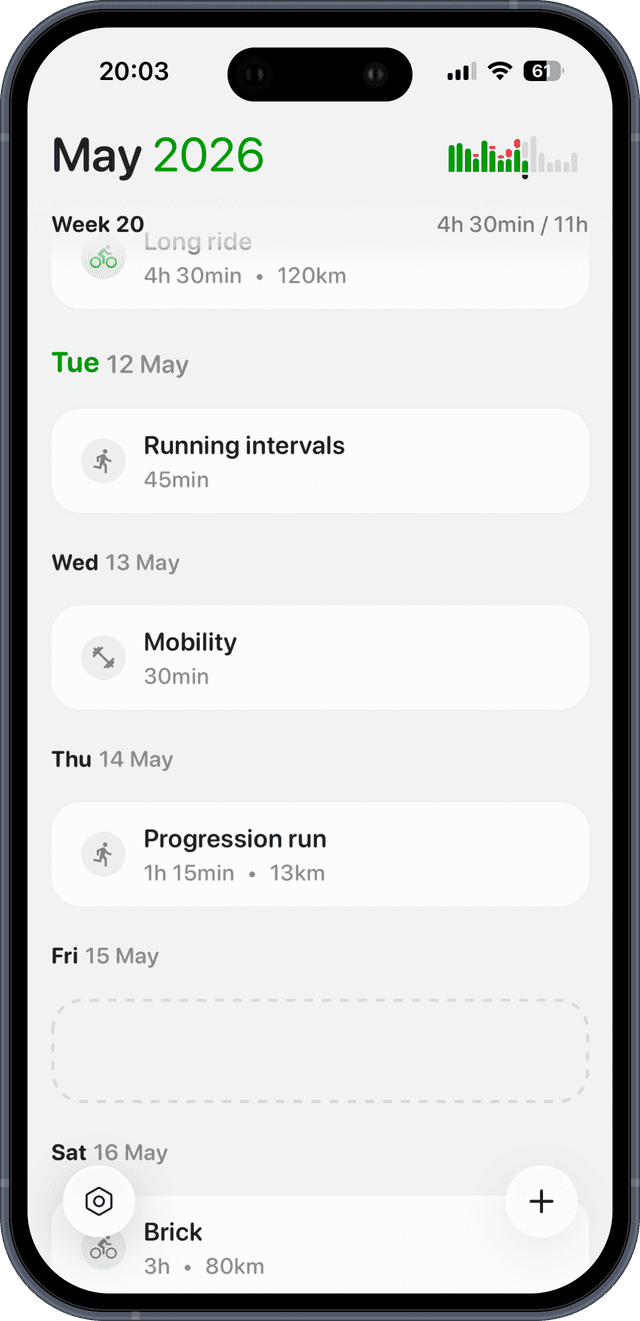
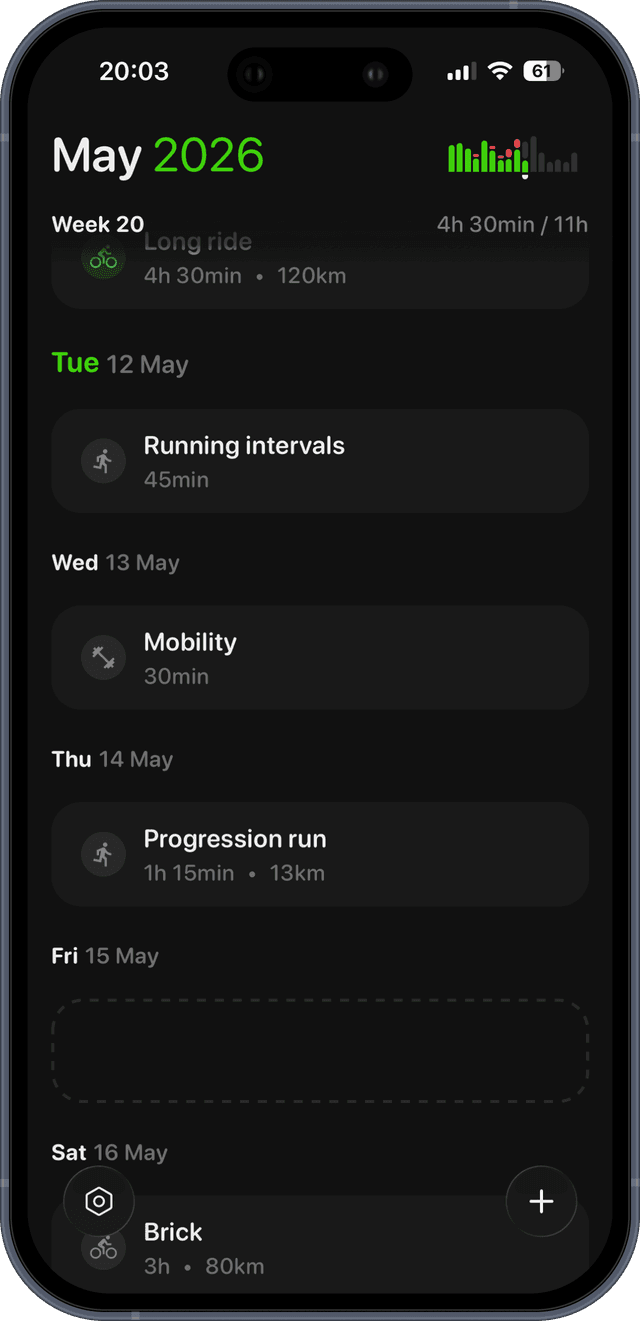
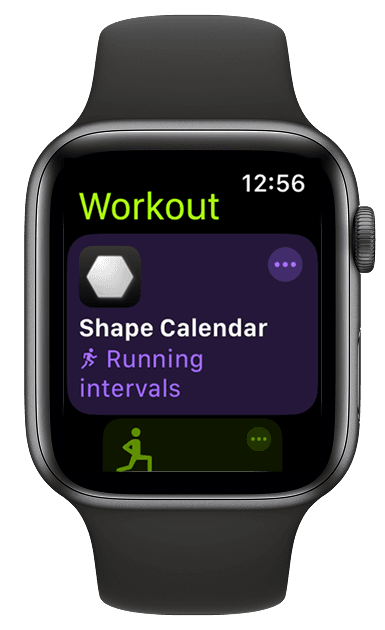
Let ChatGPT plan your training. Shape sends it to your Apple Watch.
Connect Apple Health, add Shape Calendar in ChatGPT, and every workout ChatGPT plans lands in the Workout app on your wrist. Free for 14 days.